

Key points:
Schools can keep QR logins safe and seamless by blending clear visual cues, ongoing user education, and risk-based checks behind the scenes
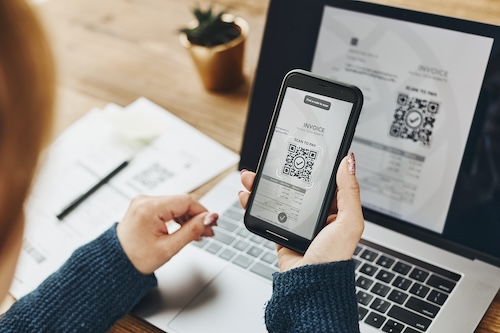
QR-based single sign-on (SSO) is fast becoming a favorite in schools seeking frictionless access, especially for bring-your-own-device (BYOD) environments.
The BYOD in education market hit $15.2 billion in 2024 and is projected to grow at a 17.4 percent CAGR from 2025 to 2033, driven by the proliferation of digital learning and personal smart devices in schools.
However, when attackers wrap malicious links into QR codes, school IT leaders must find guardrails that preserve usability without turning every login into a fortress.
Phishing via QR codes, a tactic now known as “quishing,” is where attackers embed malicious QR codes in emails or posters, directing pupils, faculty, and staff to fake login pages. Over four out of five K-12 schools experienced cyber threat impacts with human-targeted threats like phishing or quishing, exceeding other techniques by 45 percent.
Because QR codes hide or obscure the URL until after scanning, they evade many traditional email spam filters and link scanners.
Below are three strategies to get that balance between seamless logins and safe digital environments right.
How to look out for visual signals
Approximately 60 percent of emails containing QR codes are classified as spam. Branded content, such as the school or district logo, consistent with the look and feel of other web portals and student apps, will help students identify a legitimate QR over a malicious one.
Frontier research shows that bold colors and clear iconography can increase recognition speed by up to 40 percent. This is the kind of split-second reassurance a student or teacher needs before entering credentials on a QR-based login screen.
Training your users to look for the full domain or service name, such as “sso.schooldistrict.edu” under the QR, is good practice to avoid quishing attacks, school-related or not. However, this will be trickier for younger students.
The Frontier report demonstrates how younger children rely more heavily on color and icon cues than on text or abstract symbols. For K-12 students, visual trust cues such as school crests, mascots, or familiar color schemes offer a cognitive shortcut to legitimacy.
Still, while logos and “Secured by…” badges are there to reassure users, attackers know this. Microsoft, Cisco Talos, and Palo Alto Unit42 have documented large-scale phishing campaigns where cybercriminals cloned Microsoft 365 and Okta login pages, complete with fake security seals, to harvest credentials.
For schools rolling out QR-based SSO, pairing visible trust cues with dynamic watermarks unique to the institution makes it harder for attackers to replicate.
User education on quishing risk
Human error drives most breaches, particularly in K-12 schools. These environments handle a mix of pupils who are inexperienced with security risks and, therefore, are less likely to scrutinize QR codes, links, or credentials.
Students and teachers must be taught the meaning of signs and the level of detail to consider in order to respond more quickly and correctly. A short digital literacy module about QR logins can dramatically cut phishing and quishing risk, reinforcing what legitimate login screens should look like. These should be repeated regularly for updates and to strengthen the retrieval and recognition of key visual cues.
Research in cognitive psychology shows that repeated exposure can boost the strength of a memory by more than 30 percent, making cues harder to ignore and easier to recall. When teaching secure login habits, short, repeated micro-lessons–for example, 3-5 min videos with infographics–can boost test scores 10-20 percent. Researcher Piotr Wozniak suggests spacing reviews after 1 day, then 7 days, 16 days, 35 days, and later every 2-3 months.
With proper education, students should instinctively not trust QRs received via text message or social media through unverified numbers or accounts. Encouraging the use of a Secure QR Code Scanner app, at least for staff and perhaps older students, can be helpful, because it will verify the embedded URL before a user opens it.
When to step up authentication after a scan
QR codes make logging in fast, but after a scan, you don’t have to give full access right away. Instead, schools can use these scans as the first factor and decide whether to require more proof before granting access, depending on risk signals.
For example, if a student or teacher scans the QR code with a phone or tablet that’s not on the school’s “known device” list, the system should prompt for a PIN, passphrase, or MFA push before completing login. The same applies to sensitive systems that include student data or financial information.
Microsoft’s 2024 Digital Defense Report shows that adding MFA blocks 99.2 percent of credential attacks. That means a simple SMS or push-based MFA can drastically slash phishing and quishing success rates. By adding a quick MFA prompt only when risk signals spike, school IT teams preserve the speed of QR logins without giving up security.
Schools can also apply cloud-security platforms to strengthen QR-based SSO without sacrificing ease of use. These tools sit behind the scenes, continuously monitoring Google Workspace, Microsoft 365, and other education apps for unusual logins, risky devices, or policy violations.
By automatically logging every QR login event, including device, time, and location, and triggering alerts when something looks off, IT teams gain visibility and early warning without adding extra friction for staff or students. This approach lets schools keep QR sign-ins fast and familiar with risk-based controls and data protection running in the background.
Schools can keep QR logins safe and seamless by blending clear visual cues, ongoing user education, and risk-based checks behind the scenes. Students and staff learn to recognize authentic screens, while IT teams add extra verification only when behavior looks risky. Simultaneously, continuous monitoring tracks every scan to catch problems early and improve education resources, all without slowing anyone down.
